Highlight any web page in seconds — with colors that mean something, sticky notes for your own thoughts, and automatic snapshots. Your highlights restore themselves on every visit. Free, private, and it works offline.
No account required · Works offline · Your data stays in your browser
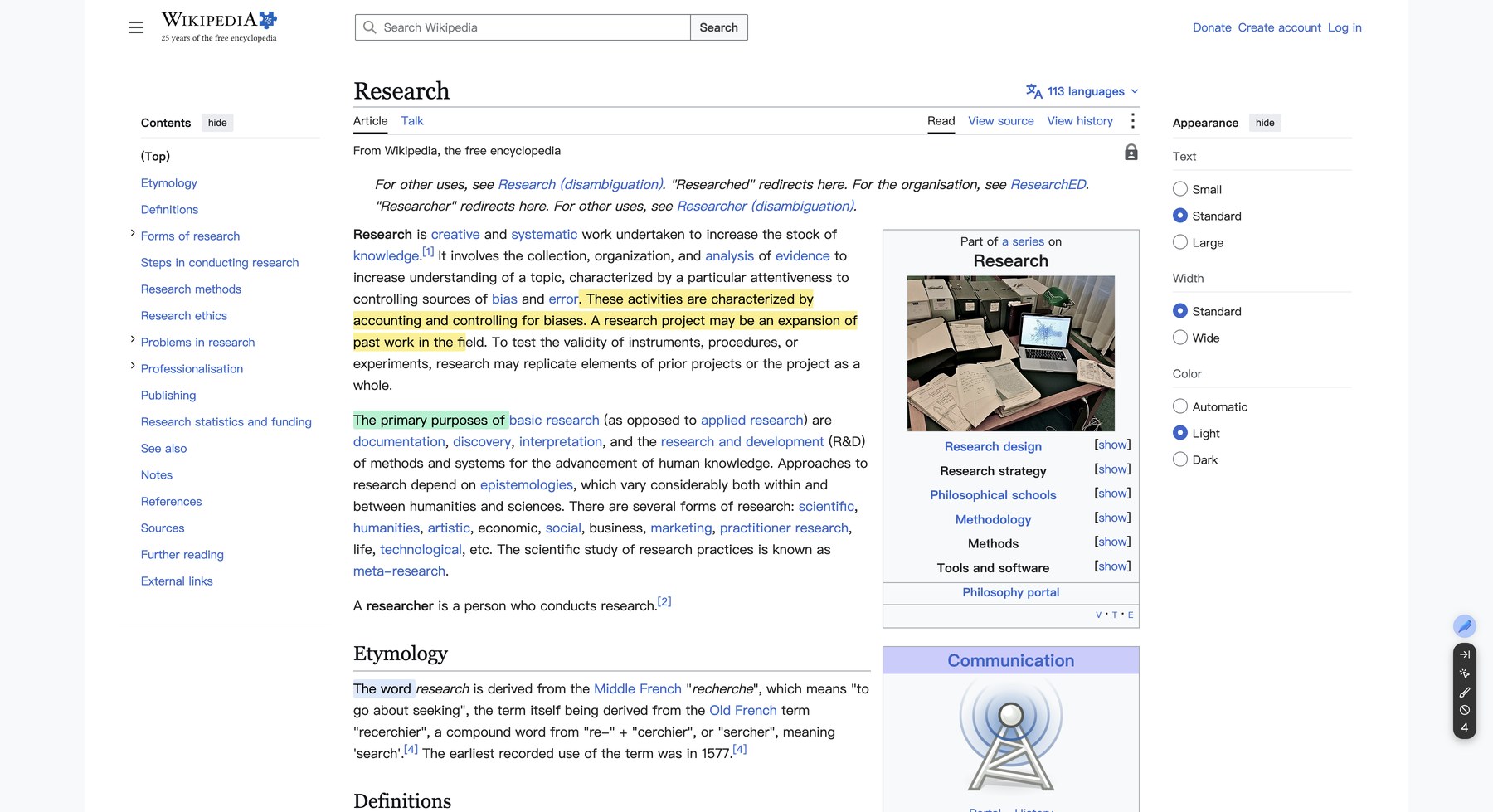
On any web page, select the passage you want to remember — a sentence, a paragraph, a price.
Press Alt+S (or use the right-click menu) and the text is highlighted in your chosen color, instantly.
Highlights and notes restore automatically on every visit — with a snapshot of the page for context.
Give every color a job: yellow for key claims, green for data, blue for sources. Customizable palette, always one click away.
Pin your own comments anywhere on the page — perfect for “why this matters” thoughts you never want to lose.
Every highlight stores a snapshot of the page, so the context survives redesigns, paywalls and dead links.
Come back tomorrow or next year — your highlights reappear on the page exactly where you left them.
Group highlights by website and path, tag them by project, and find any note in seconds from the side panel.
No account required. Export/import with one click, and optional WebDAV sync when you use several devices.
| Browser Find-in-page | Web Annotator | |
|---|---|---|
| Marks stay after closing the tab | ✕ | ✓ |
| Choose colors and their meaning | ✕ | ✓ |
| Sticky notes with your own words | ✕ | ✓ |
| Snapshot of the page kept with the note | ✕ | ✓ |
| Organize by site, path, tags | ✕ | ✓ |
| Export / backup / device sync | ✕ | ✓ |
Keep the exact evidence on the exact page, tagged per project, with snapshots as citation proof.
Mark lecture pages and readings in colors you can scan the night before the exam.
Highlight competitor pages, contracts and dashboards — then export everything for your report.
A website highlighter is a browser extension that lets you mark text on any web page with colored highlights — like a digital highlighter pen. Unlike the temporary yellow flash from Find-in-page, a website highlighter saves your marks so they reappear every time you visit the page.
Yes. Web Annotator is a free Chrome and Edge extension. Highlighting, colors, sticky notes, page snapshots, tags, export and the side panel are all included — no account, no subscription.
No. Highlights are stored per URL and restored automatically the next time you open the page — even after restarting your computer. Each highlight also keeps a snapshot of the page as it looked when you marked it.
Yes. Web Annotator includes a customizable color palette (up to 12 colors). Many people assign a meaning to each color — for example yellow for key claims, green for data, blue for “read the cited source later”.
Yes. You can export and import all annotations with one click for backups, and optional WebDAV sync keeps your highlights consistent across devices. Everything also works fully offline.
Install once, and every page you read becomes something you can mark, keep and come back to.
New to web annotation? Read the guide: How to Highlight a Web Page